I’m done, what now?
Now that you’ve finished building your map, there’s a few things to do before you can use your map in-game.
Important
All maps are subject to the ModTools Map Rules. Make sure you read them before continuing.
Trimming the map
To maintain compliance with the ModTools Map Rules battle maps must be under 25 MB.
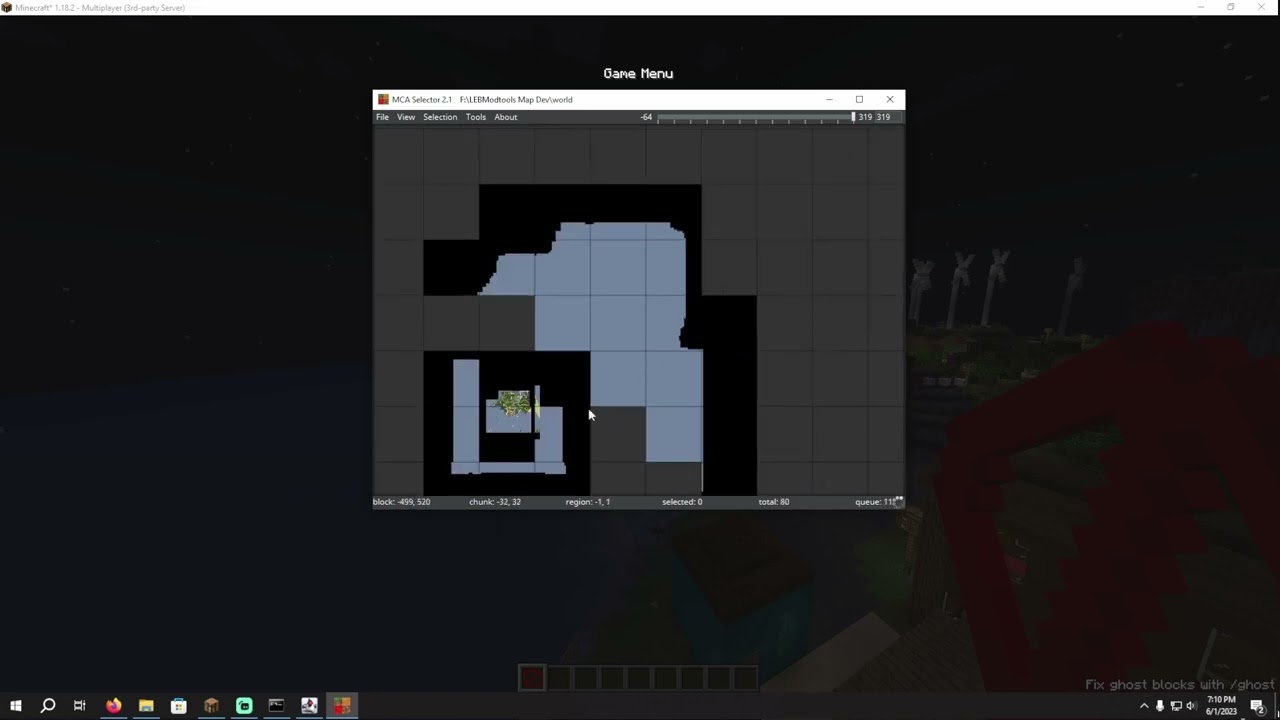
The easiest way of doing this is by trimming the unused content from the map files by using MCA Selector.
If you haven’t already please make sure that the borders are set up correctly
To help with this process please carefully follow the instructions in this tutorial by PixeoGames: https://youtu.be/mLcab7LR6VU
Maximum possible file saving
Attention
This is only for power users. It is not recommended for regular maps.
In order for the map to be loaded by the server the only sub-folders that are required are the entities folder and the
region folder. If your map needs to contain functioning villagers the poi folder is also required.
Otherwise, all other sub-folders and files in the world’s folder can be discarded before compiling.
This will make the world unable to be loaded in single-player, so it is recommended to handle compilation
and final file management on GitHub.
To reiterate previous warning, the savings provided are very small, and it is not recommended for normal maps.
Uploading your map to GitHub
Before you can submit your map to be added to the server, it must be uploaded to the internet first.
We use GitHub for this, to see how to do the setup please see the GitHub Guide.
Submitting your map to the server
Once you’ve done all that, its time to submit the map to be added to the server!
To see how to do that, see Submitting your map.